

Run your online shop from one app.
Shop OS is the app behind the online shops we build. Paid orders arrive from your website, then you pack them, post them or hand them over, keep your stock counted and change your own prices.
Comes with an online shop built by Proven Path Strategies.
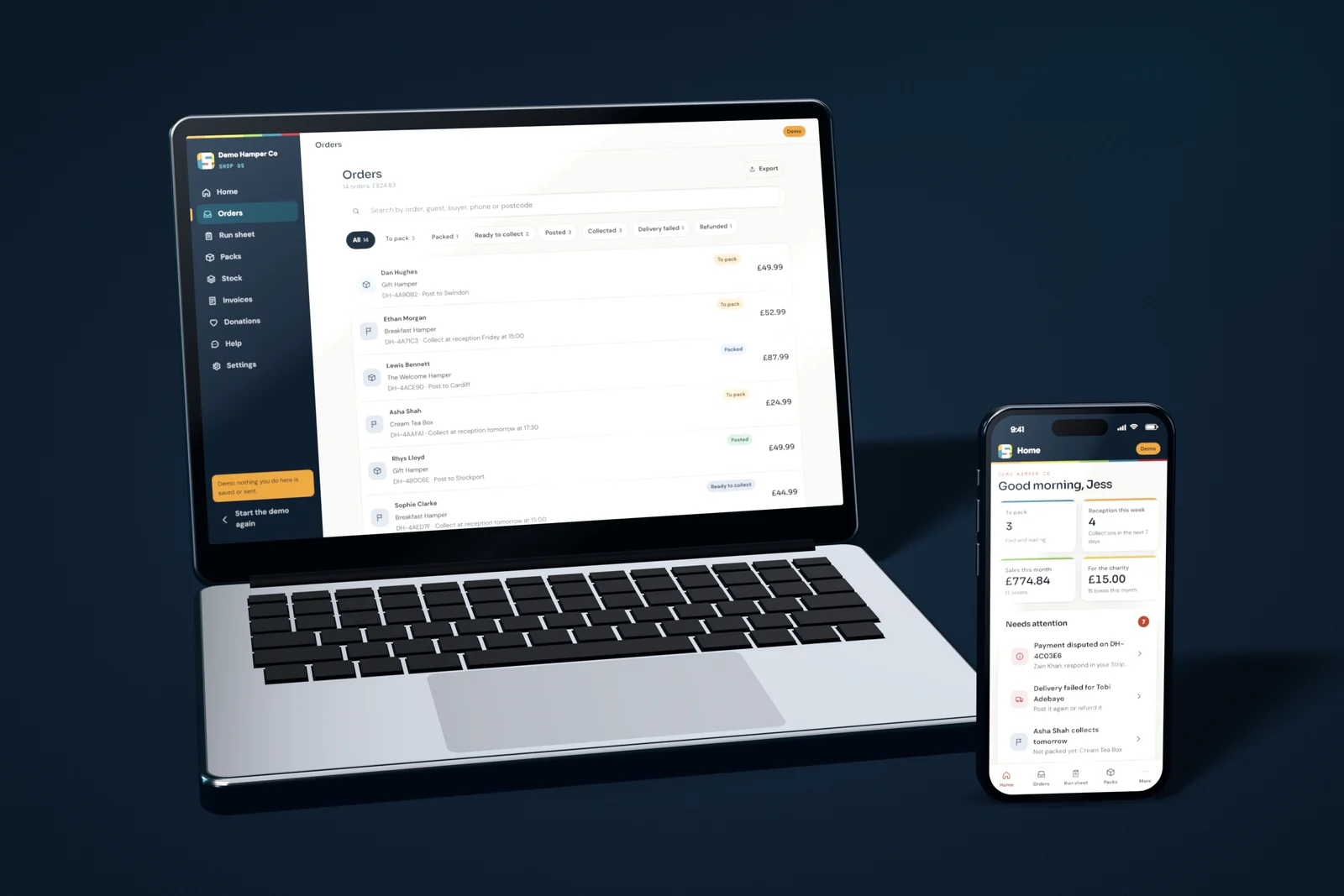
A look inside.
The screens you will use every day. Every one is in the demo, running on a made up hamper shop, so you can click around for yourself.
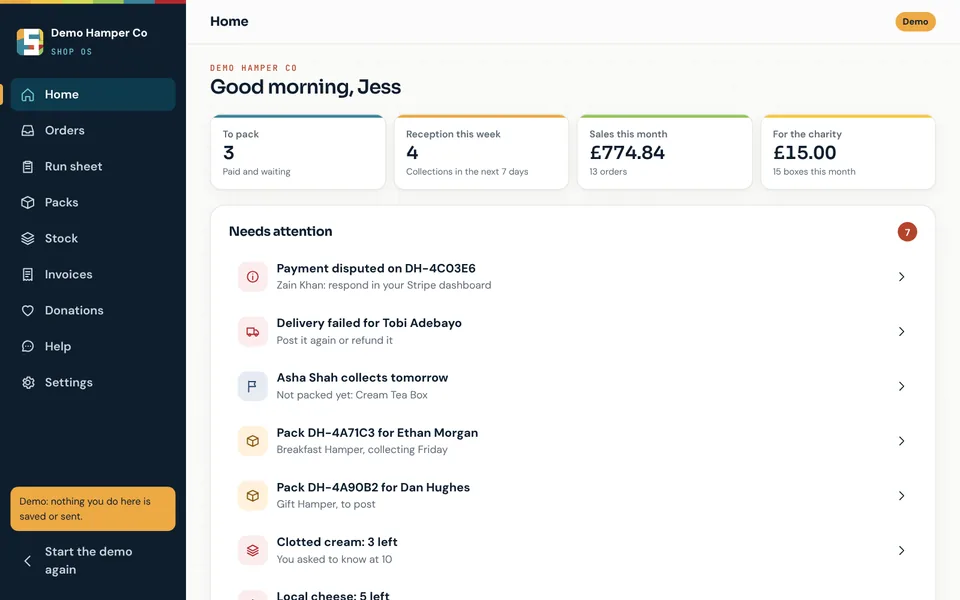
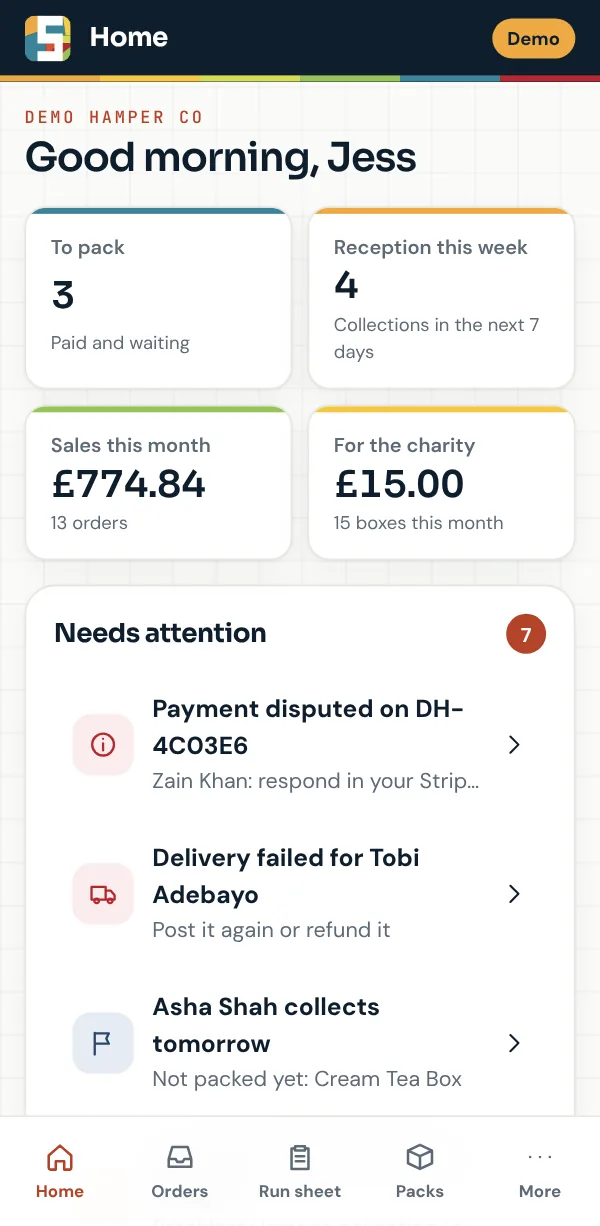
Open it and see what needs doing.
Orders to pack, collections coming up, this month’s sales and what you owe your charity, with everything that needs you listed underneath: a parcel that came back, a payment dispute or stock running low.
- Paid orders arrive from your website by themselves
- Low stock shows up before it runs out
- The same app on your phone and your computer
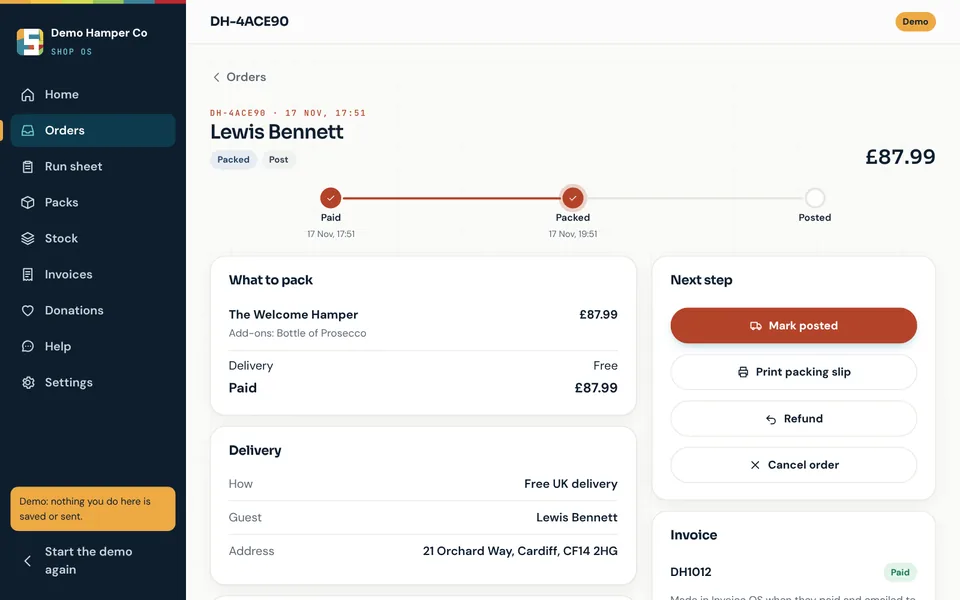
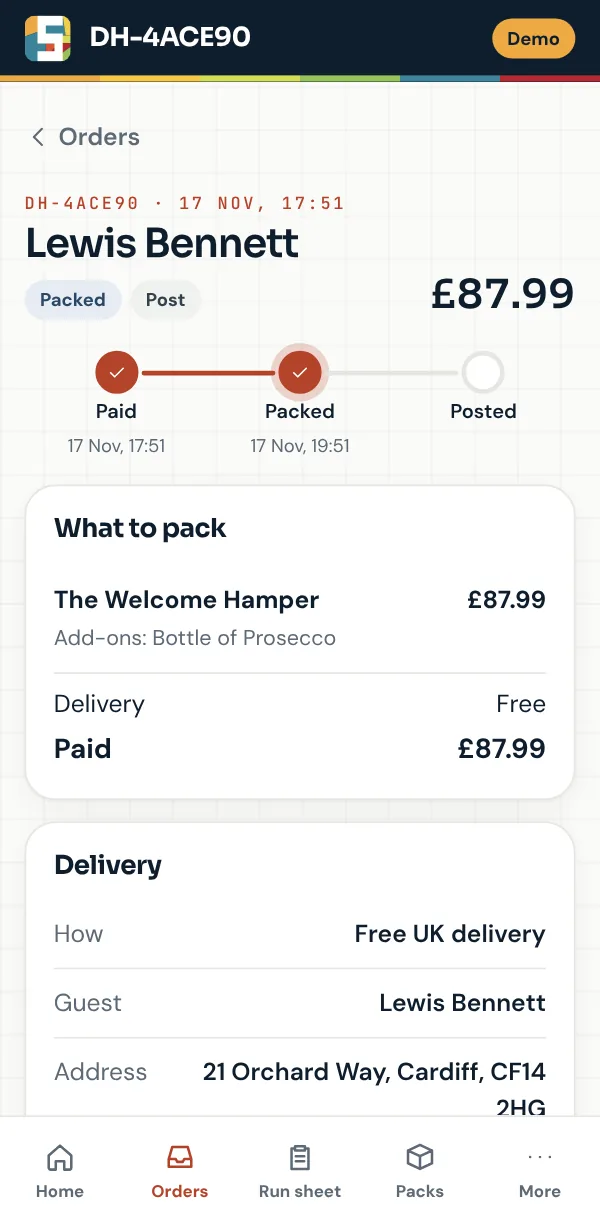
Every order, one step at a time.
Each order shows what to pack, how it is going to the customer and the next step. Mark it packed, add the tracking number when it is posted or hand it over at collection.
- Print a packing slip for the order
- Refund the whole order, some items or an amount
- Each order’s emails, with a button to send one again
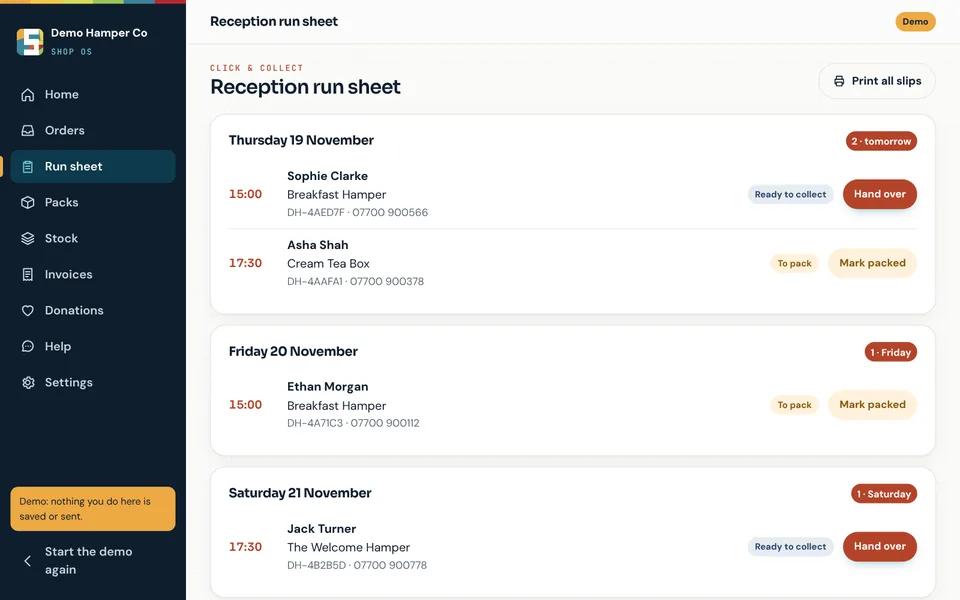
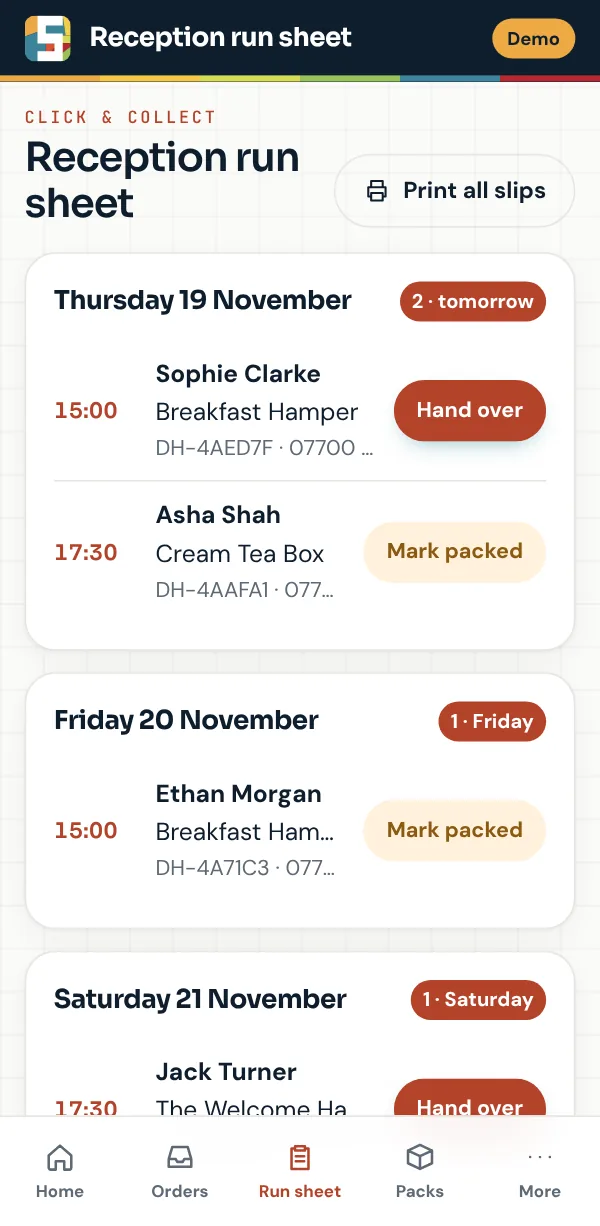
Every collection, in the order they arrive.
Click & Collect orders are listed by the day the customer is coming, with the time they gave. Mark each one ready once it is packed, then hand it over when they arrive.
- Print every packing slip in one go
- Your customer gets a reminder the day before
- Notes from the customer kept with the order
Change a price and your website follows.
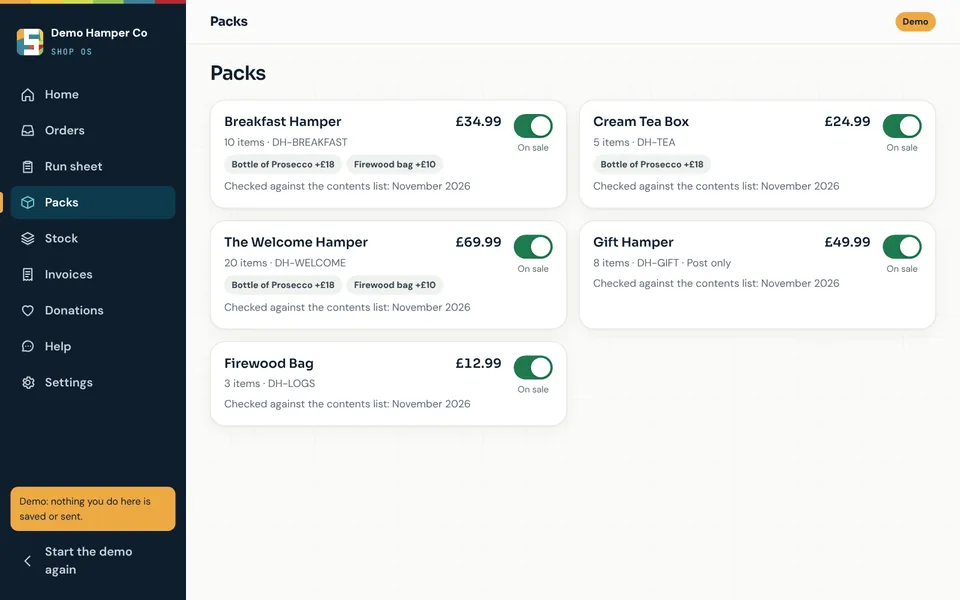
Edit the price, the add-ons or what goes in each product. Switch a product off when it sells out. Either way your website updates itself within a few minutes.
- Add-ons such as a bottle of Prosecco, each with its own price
- Switch a product off and your website shows it as out of stock
- See when each product was last checked
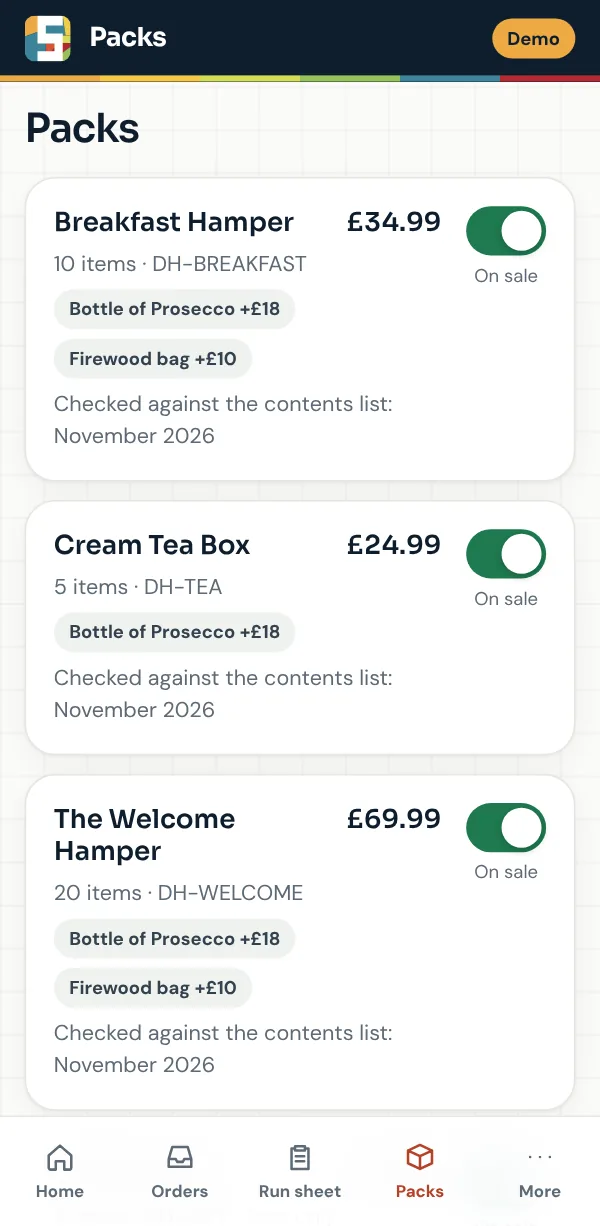
Shown with the demo, a made up hamper shop. Open the demo
Everything else, in the same place.
The jobs that eat into an evening when a shop runs on email and spreadsheets.
Your own Stripe account
Customers pay on Stripe’s own checkout page and the money goes to your Stripe account. Shop OS takes no fee from your sales.
Emails that send themselves
An order summary when they pay, an email when it is posted or ready to collect and one when you refund them.
A review request
Five days after posting or 24 hours after collection, each customer is asked for a Google review. Switch it off for any order.
Stock that counts itself
Count only the items you want to watch. Packing an order takes them out and a weekly email warns you before you run low.
Problems flagged early
A parcel that comes back or a payment dispute goes straight to the top of Home, with what to do next.
Invoices for every order
Each paid order gets an invoice from Invoice OS, our invoicing app, saved with the order for your accounts.
Charity donations
Give an amount from every box you sell. Shop OS works out what you owe and sends you a summary each month.
Orders as a spreadsheet
Search orders by name, number or postcode and export them for Excel, Numbers or Google Sheets.
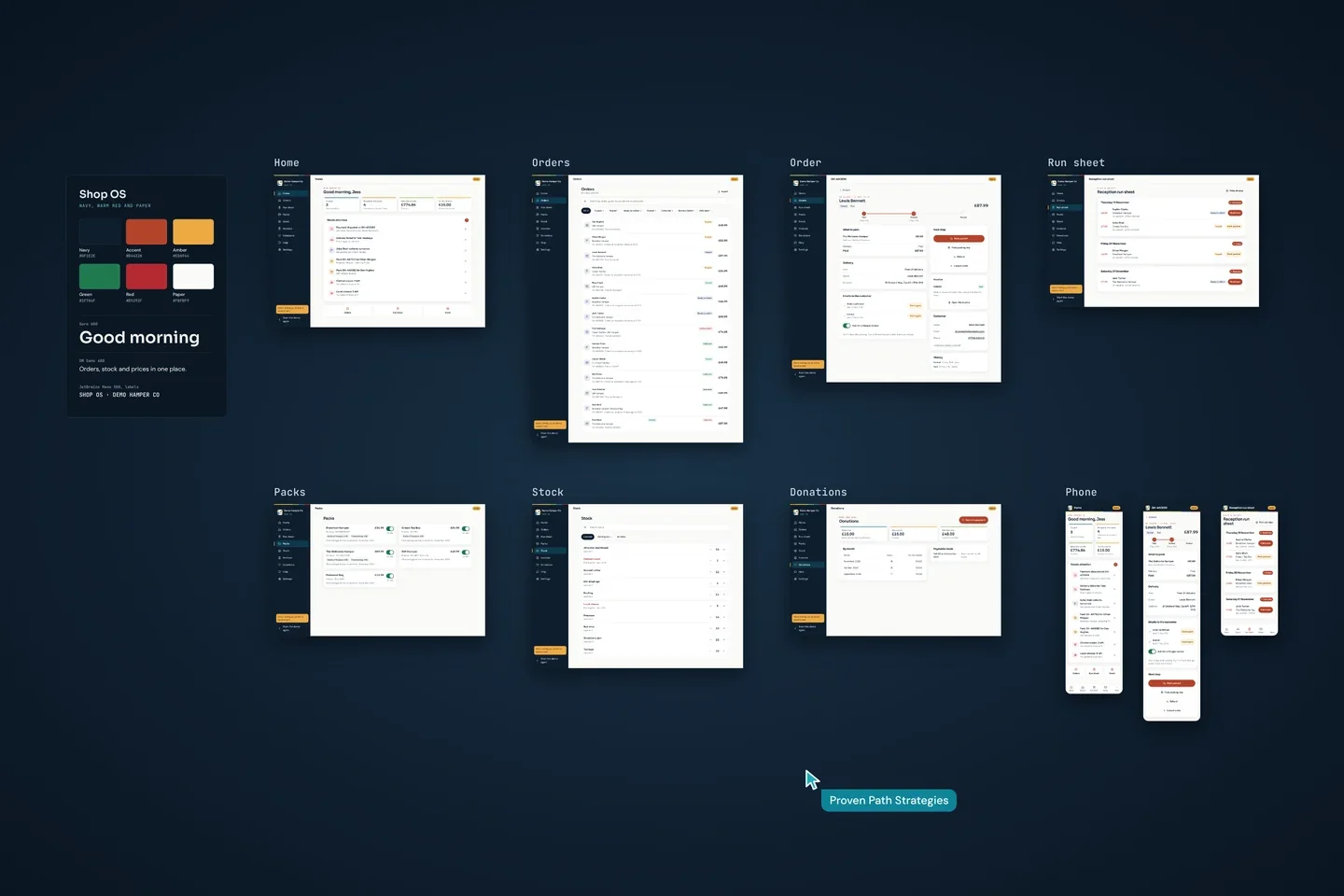
Every screen on one board
Designed and built by Proven Path Strategies, from the home screen to the Click & Collect run sheet.
Private by design.
Shop OS holds your customers’ names, addresses and orders, so it is built to keep them to you. Here is how, in plain English.
- No passwords. You sign in with a 6 digit code sent to your email.
- Opened from your home screen, it asks for Face ID after five minutes away.
- Each shop can only ever see its own orders and customers. The database itself enforces this, not just the screens.
- Your orders and customers’ details are stored in London by Supabase. Stripe takes the payments, Brevo sends the order emails, Cloudflare runs the app and n8n runs the scheduled jobs.
- Card numbers never touch your website or Shop OS: Stripe takes them on its own page.
- Delete a customer’s details when they ask, while keeping the order totals for your accounts.
Questions about Shop OS
How much does Shop OS cost?
Shop OS comes with an online shop built by Proven Path Strategies, so the price depends on your shop. Tell us about yours and you will get a clear, tailored quote.
Can I sign up on my own?
No. We build your shop website, connect it to Shop OS and add the people who need to sign in. Each person signs in with their own email.
How do I get paid?
Your customers pay on Stripe’s own checkout page and the money goes to your own Stripe account. Shop OS takes no fee from your sales. Stripe charges its own card fees.
Can I change my own prices?
Yes. Change a price, an add-on or what goes in a product in Shop OS and your website updates itself within a few minutes.
Does it handle Click & Collect?
Yes. Collection orders appear on the run sheet by the day the customer is coming. They get a reminder the day before and you mark each one handed over when they collect.
Can I see it first?
Yes. The demo is the real app running on a made up hamper shop with a fortnight of sample orders. Nothing you do in it is saved or sent.
Where is my shop’s data stored?
Your orders and your customers’ details are stored in London by Supabase. Some of the services that help run Shop OS are based outside the UK. The Shop OS terms name each one and what it does.
Want a shop that runs itself?
Tell us what you sell and how you get it to your customers. You will get a clear, tailored quote for your shop website and Shop OS, with no obligation.
07879 162384 · [email protected] · Replies within one working day