

Quotes and invoices from your phone.
Invoice OS is an invoicing app for sole traders and small businesses. Quote the job, invoice it when the work is done and send your customer a link to their invoice, in your branding.
£9.99 a month or £107.89 a year. Cancel any time. Already signed up? Sign in
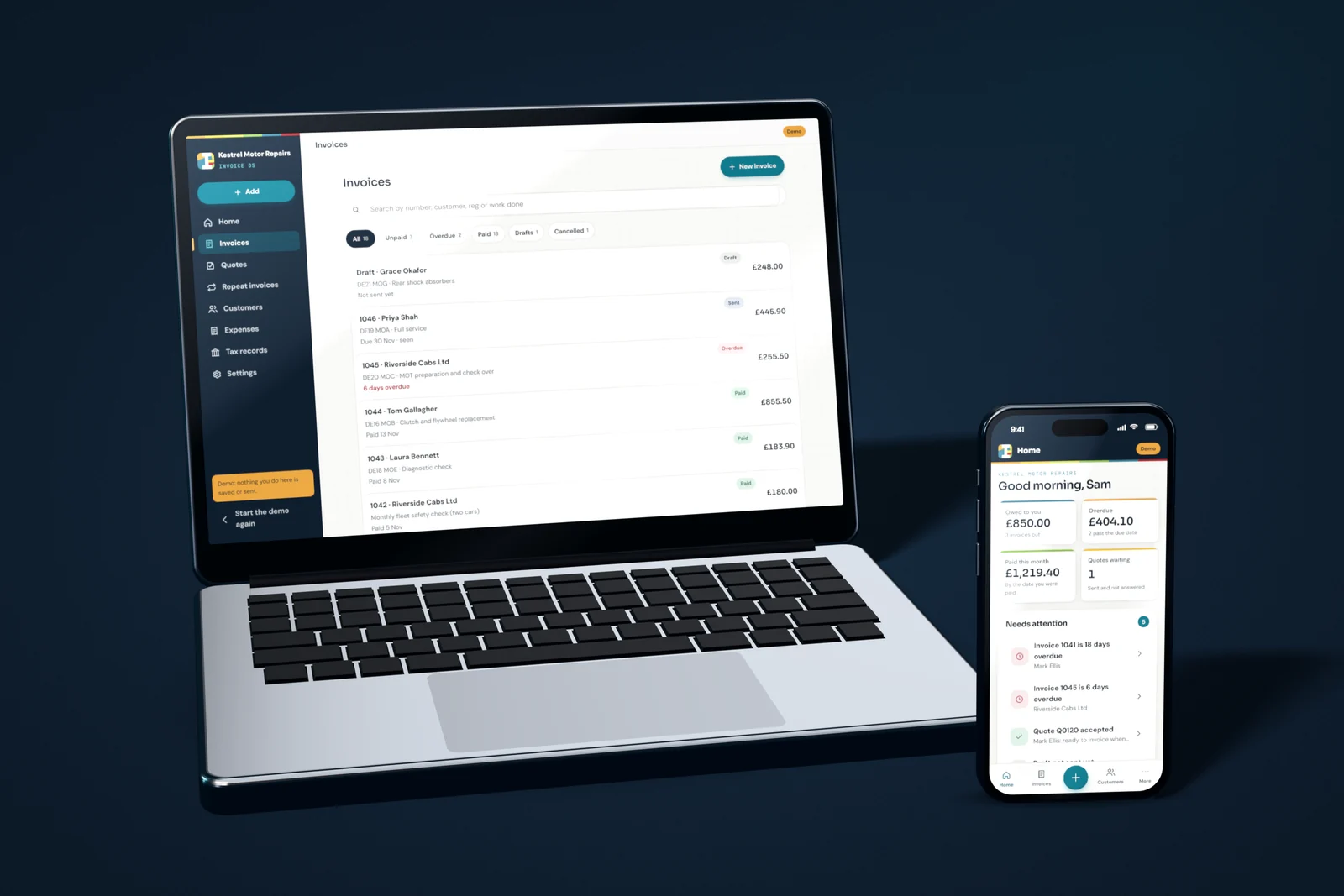
A look inside.
The screens you will use most. Every one is in the demo, running on a made up garage, so you can click around before you pay.
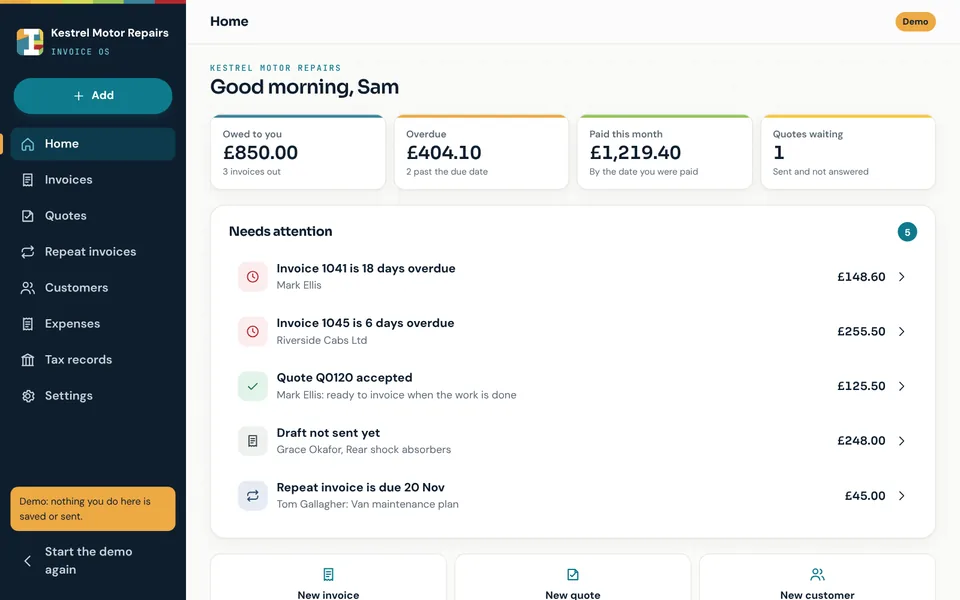
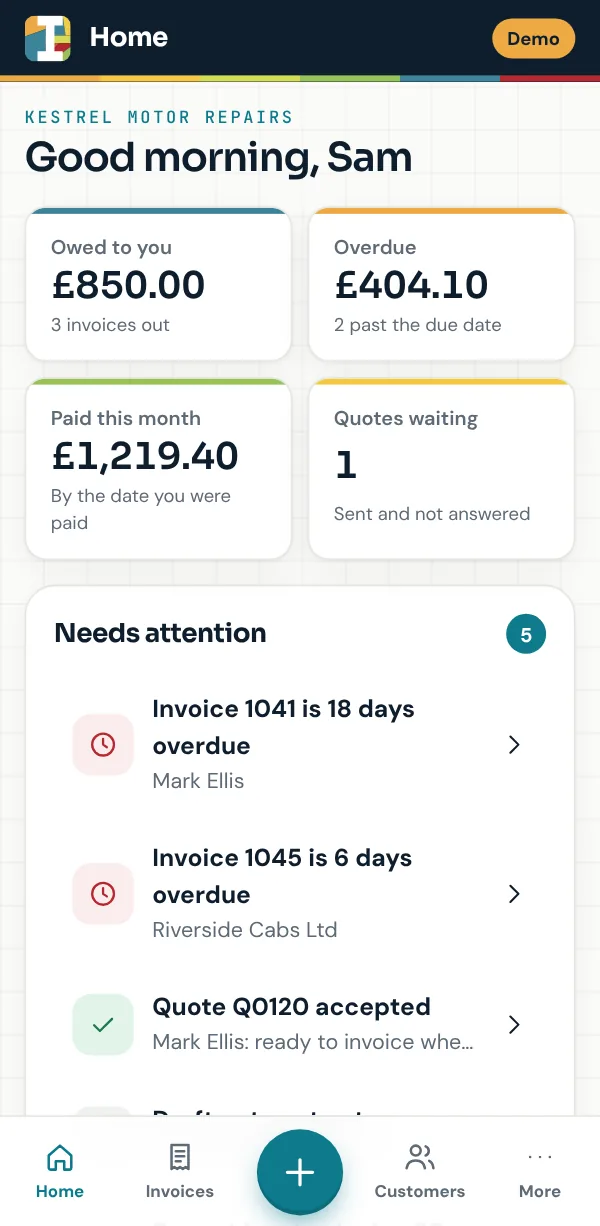
Open it and see what needs doing.
What you are owed, what is overdue, what you have been paid this month and the quotes still waiting for an answer. Anything that needs you is listed underneath: tap it to deal with it.
- Overdue invoices, accepted quotes and drafts you have not sent yet
- New invoice, quote or customer in one tap
- The same app on your phone and your computer
Quote the job, then invoice it in one tap.
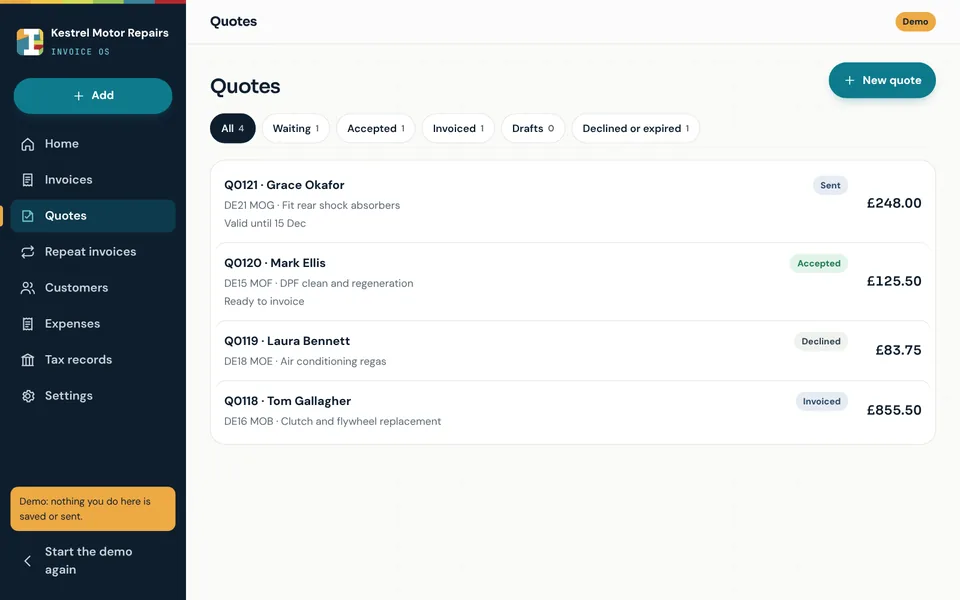
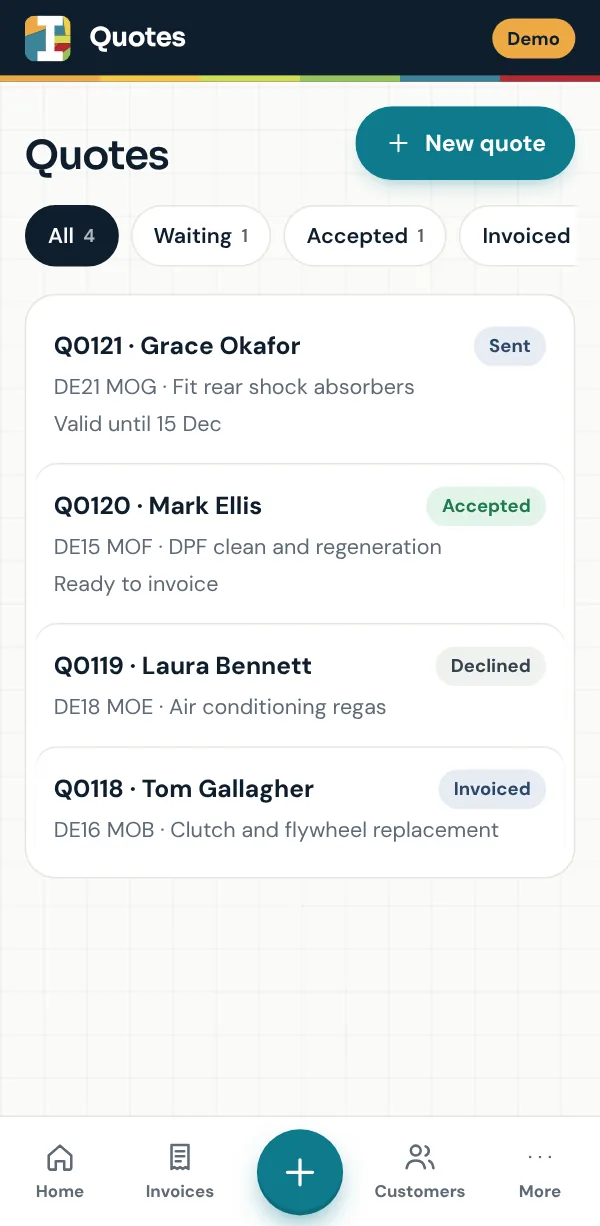
Write a quote with your labour and parts and send your customer its link. They can read it, download the PDF and accept it there. Once the work is done, turn it into an invoice without typing anything twice.
- Your customer accepts the quote from its link
- Waiting, accepted, invoiced, declined or expired at a glance
- Each quote stays valid for the days you choose
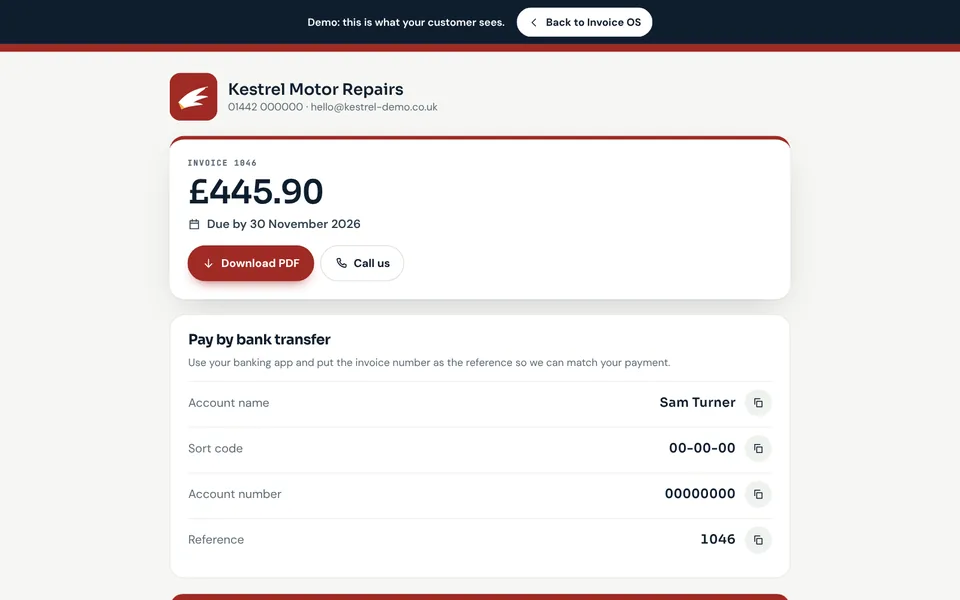
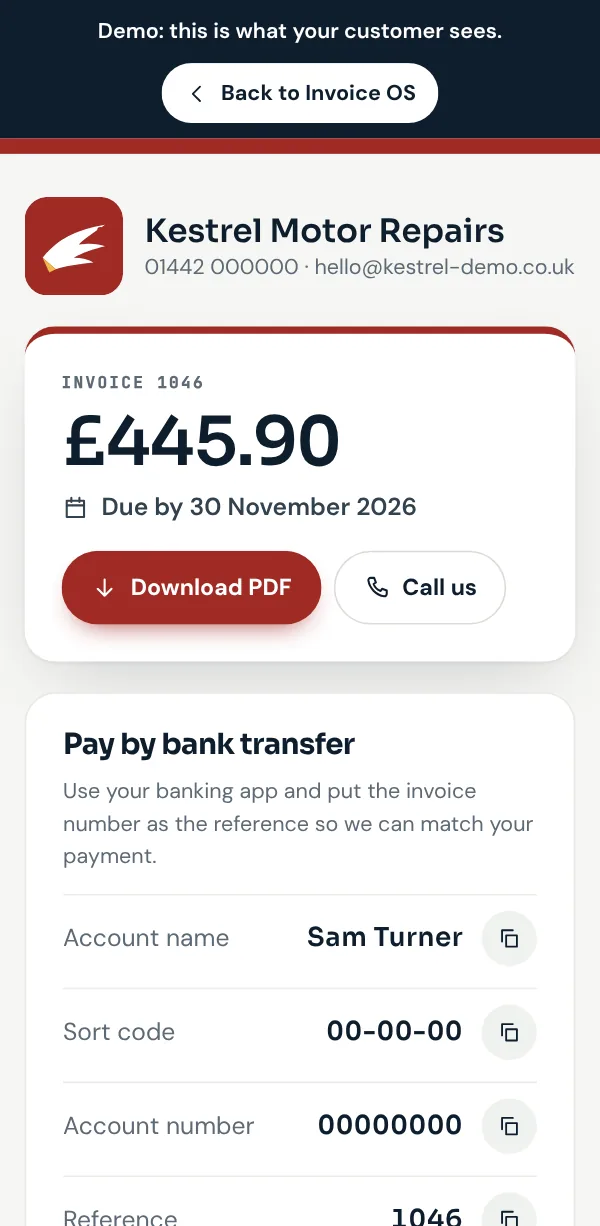
Every invoice gets its own page in your branding.
Send the link by WhatsApp, text or your own email. Your customer sees your logo, what is due and when, your bank details to copy into their banking app and a button to download the PDF.
- Your logo and colour on the page and the PDF
- Bank details your customer can copy with one tap
- See when your customer has opened it
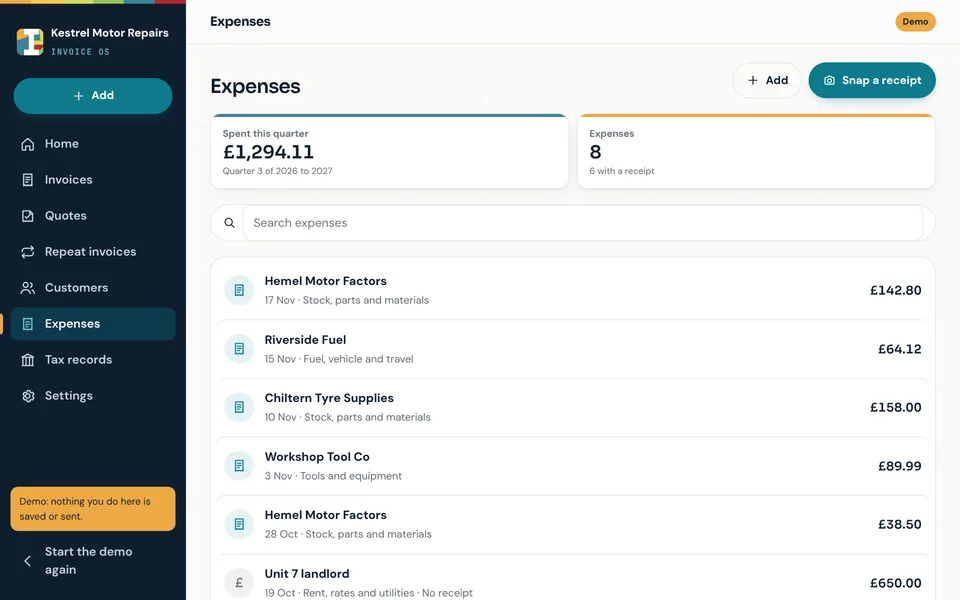
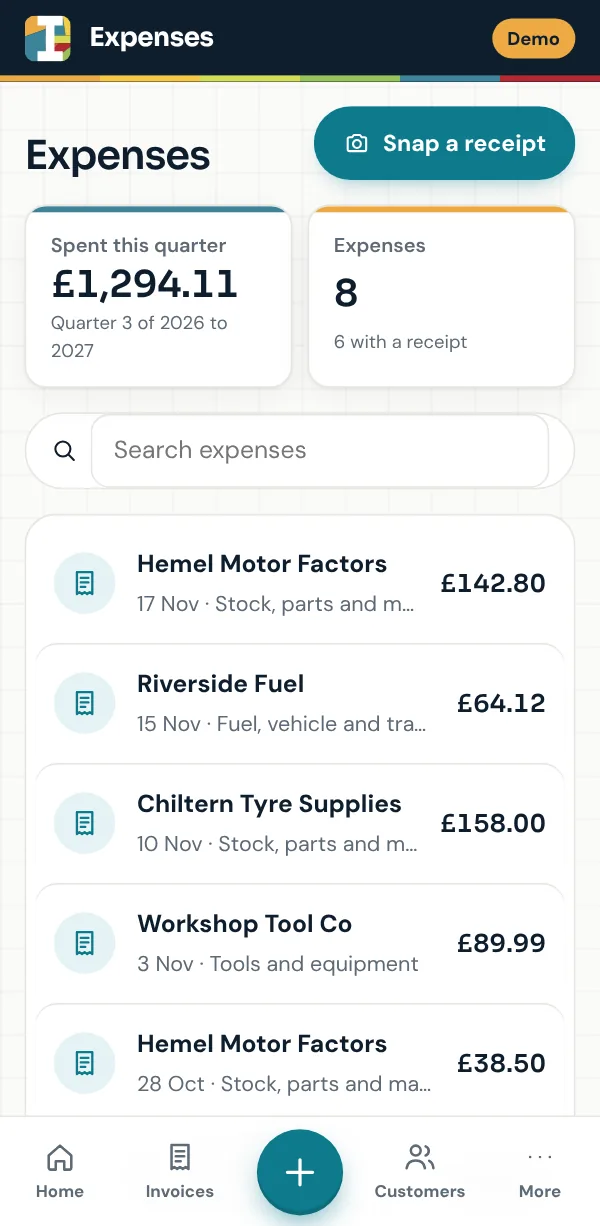
Snap a receipt and it is filed.
The camera finds the receipt, straightens it and cleans it up. Claude, Anthropic’s AI, then reads the supplier, the date, the amount and the VAT for you to check before you save it.
- Upload a receipt as a photo or a PDF instead
- Each expense keeps its receipt photo
- What you have spent this quarter at the top
Shown with the demo, a made up garage. Open the demo
Everything else, in the same place.
The details that save you an evening of paperwork at the end of each month.
Five invoice designs
Choose the design that suits your business, then add your logo and colour. Every invoice, quote and PDF follows it.
Share it your way
Send each invoice or quote by WhatsApp, text or your own email, with its link and its PDF.
Tax records in one file
Pick the dates and download one file for your accountant: your invoices, your expenses and every receipt photo.
Any kind of business
Sole trader or limited company, VAT registered or not. Garages can add the registration and mileage to each invoice.
No gaps in your numbers
Invoices are numbered when they are sent, so drafts never leave gaps. A sent invoice can be cancelled but never deleted.
Customers in one list
Search by name, phone or registration and see what each customer owes and when you last invoiced them.
Marked paid in a tap
Mark an invoice paid when the money arrives and it moves out of what you are owed.
Opens like an app
Add it to your phone’s home screen and it opens full screen, with Face ID to get back in.
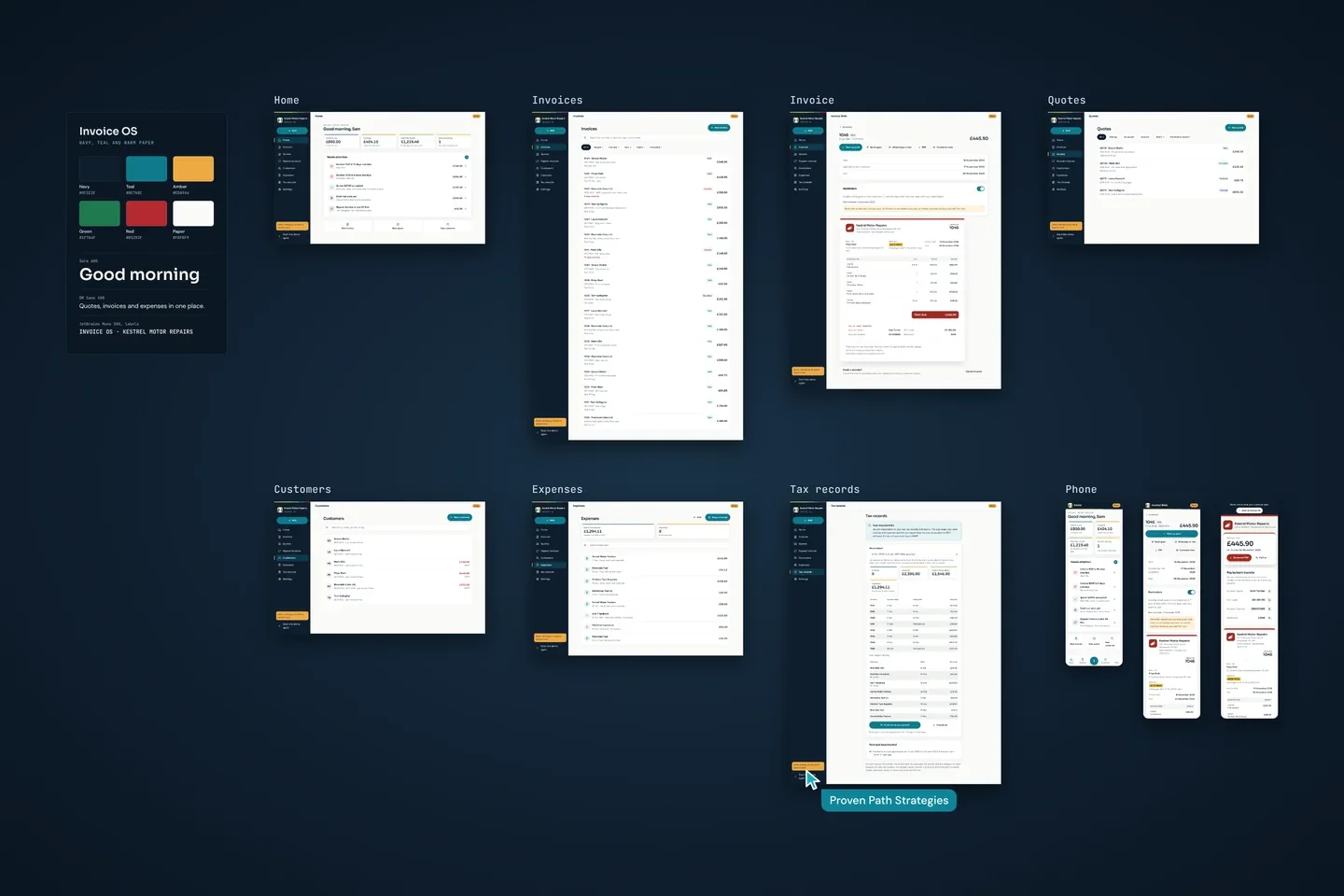
Every screen on one board
Designed and built by Proven Path Strategies, from the home screen to the page your customer opens.
Private by design.
Invoice OS holds your customers’ details and your accounts, so it is built to keep them to you. Here is how, in plain English.
- No passwords. You sign in with a 6 digit code sent to your email.
- Opened from your home screen, it asks for Face ID after five minutes away.
- Each business can only ever see its own invoices, customers and expenses. The database itself enforces this, not just the screens.
- Your invoices, customers, expenses and receipts are stored in London by Supabase. Stripe takes the payments, Brevo sends the emails, Cloudflare runs the app and n8n runs the scheduled jobs. A receipt you snap is sent to Anthropic for Claude to read and is not used to train its AI.
- Your card is taken by Stripe on its own secure page. Invoice OS never sees or stores your card number.
Questions about Invoice OS
How much does Invoice OS cost?
Invoice OS costs £9.99 a month or £107.89 a year, which works out at £8.99 a month. No VAT is added. There is no free trial, so try the demo first and see if it suits you.
How do I sign up?
Create your account with your email and a 6 digit code, add your business details, agree the terms and choose monthly or yearly. You pay on Stripe’s own secure page and can start invoicing straight away. You do not need to speak to us first.
Can I cancel?
Yes, at any time from Settings. There is no minimum term. You keep full use until the end of the month or year you have paid for, then you have 90 days to download everything before your data is deleted. The unused part of a month or year is not refunded.
Does it work for my kind of business?
Invoice OS is made for businesses that quote for jobs and invoice for them: trades, garages, cleaners, consultants and the like. It works for sole traders and limited companies, VAT registered or not.
How do my customers pay me?
By bank transfer. Your bank details are on every invoice and its page, with the invoice number to use as the reference, so you can match each payment.
How do I send an invoice?
Share its link by WhatsApp or text. You can also copy the link into your own email. Your customer opens your invoice page and can download the PDF from there.
Is it Making Tax Digital software?
No. Invoice OS keeps your sales invoices and expenses together and exports them for your accountant or your own Making Tax Digital software. It does not send anything to HMRC.
Where is my data stored?
Your invoices, customers, expenses and receipts are stored in London by Supabase. Some of the services that help run Invoice OS are based outside the UK. The Invoice OS terms, which you agree when you sign up, name each one and what it does.
Start invoicing today.
Create your account in a few minutes and send your first invoice today. If you would rather look first, the demo is the real app running on a made up garage.
£9.99 a month or £107.89 a year. Cancel any time. Already signed up? Sign in